互联网技术 / 互联网资讯 · 2024年4月4日

重置Vultr服务器root密码的方法(以Debian系统为例)

今天给一台Vultr上的服务器创建快照后恢复到其他服务器,没有保存原快照服务器的密码,所以恢复快照完毕后进不去系统,所以需要手动重置一下Root密码,方法如下:
Vultr服务器忘记root密码后重置方法(Debian系统为例)

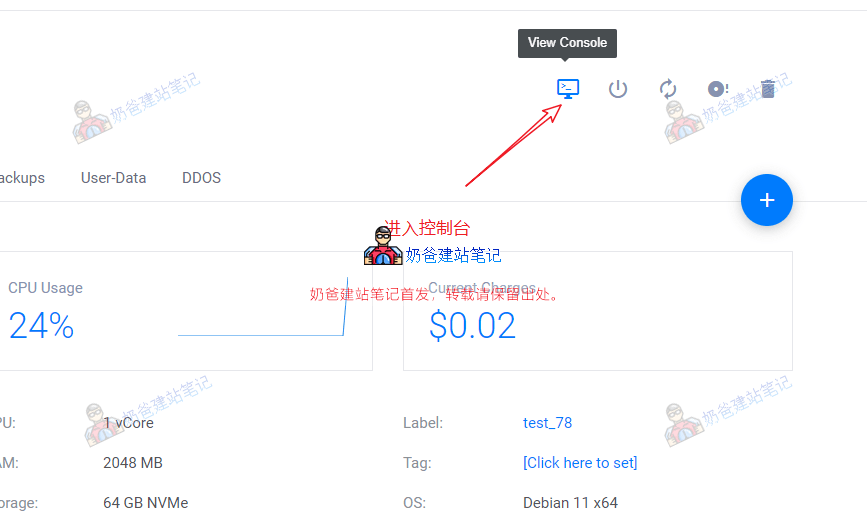
进入服务器详情页,点击右上角的电脑按钮,进入Conosole界面。

Vultr服务器忘记root密码后重置方法(Debian系统为例)

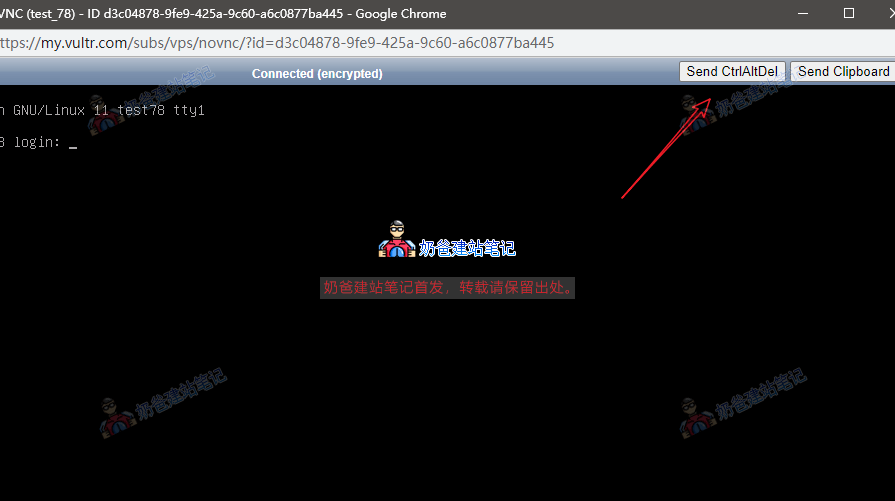
然后点击右上角的Send CtRlAltDel按钮。

Vultr服务器忘记root密码后重置方法(Debian系统为例)

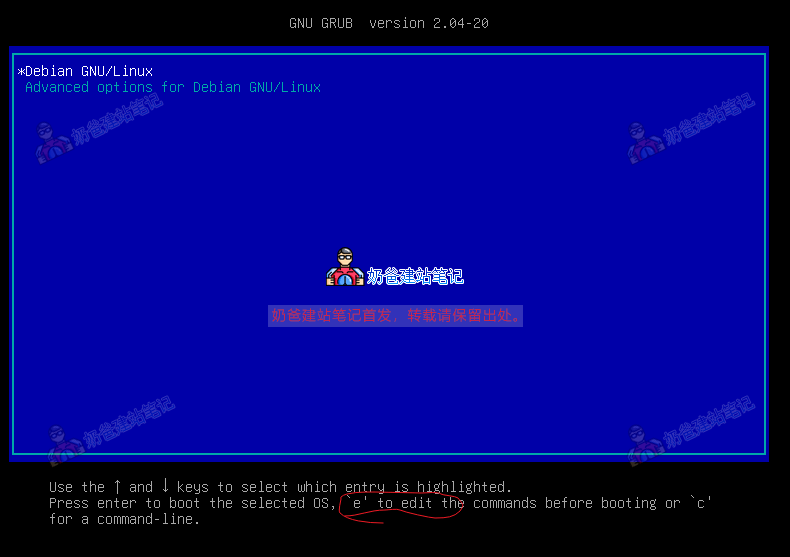
在这个界面按键盘上的E。

Vultr服务器忘记root密码后重置方法(Debian系统为例)

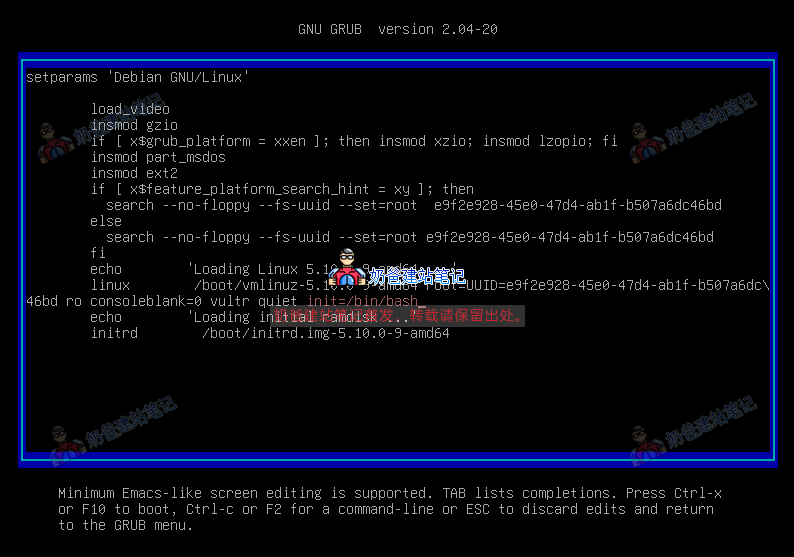
在上图倒数第三行的quiet后面加上inIT=/BIn/bash

然后CTRL + X退出。
Vultr服务器忘记root密码后重置方法(Debian系统为例)

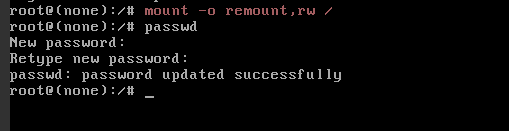
接着输入Mount -o ReMount,Rw /

再输入paSSwd

接着输入两次新密码,就修改成功了,重启服务器搞定收工。

OpenMagic API

Need more than content? Move into the product flow.

If you are here for model access, pricing, developer docs, or the future API console, the dedicated product path now lives on api.openmagic.ai.

登录免费注册