

怎么看一个OpenAI账号是不是可以使用GPT-4.0模型呢?一些朋友想使用GPT-4 API,但是不知道账号本身支不支持,今天这篇文章ChatGPT中文网就分享两个方法来判断OpenAI账号是不是支持GPT-4.0模型。
一、在LiMITs中查看可用模型
登录OpenAI platform:https://platform.openai.com
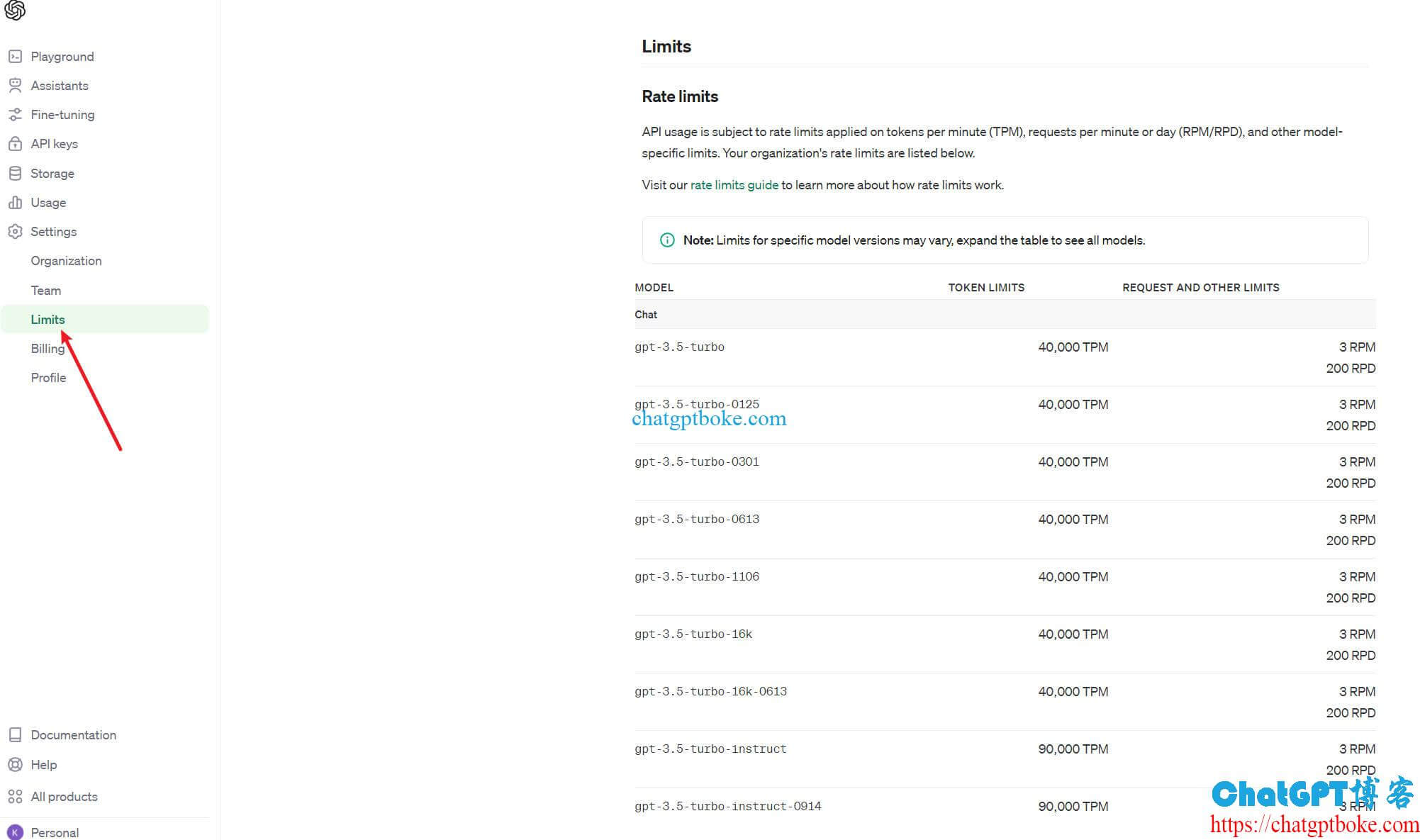
导航到settings->LiMITs,如果你是普通账号(未绑定支付方式,无GPT-4.0 API使用权限),那么就只能看到GPT-3.5模型,现在就是GPT-3.5-tuRbo模型,如下图:
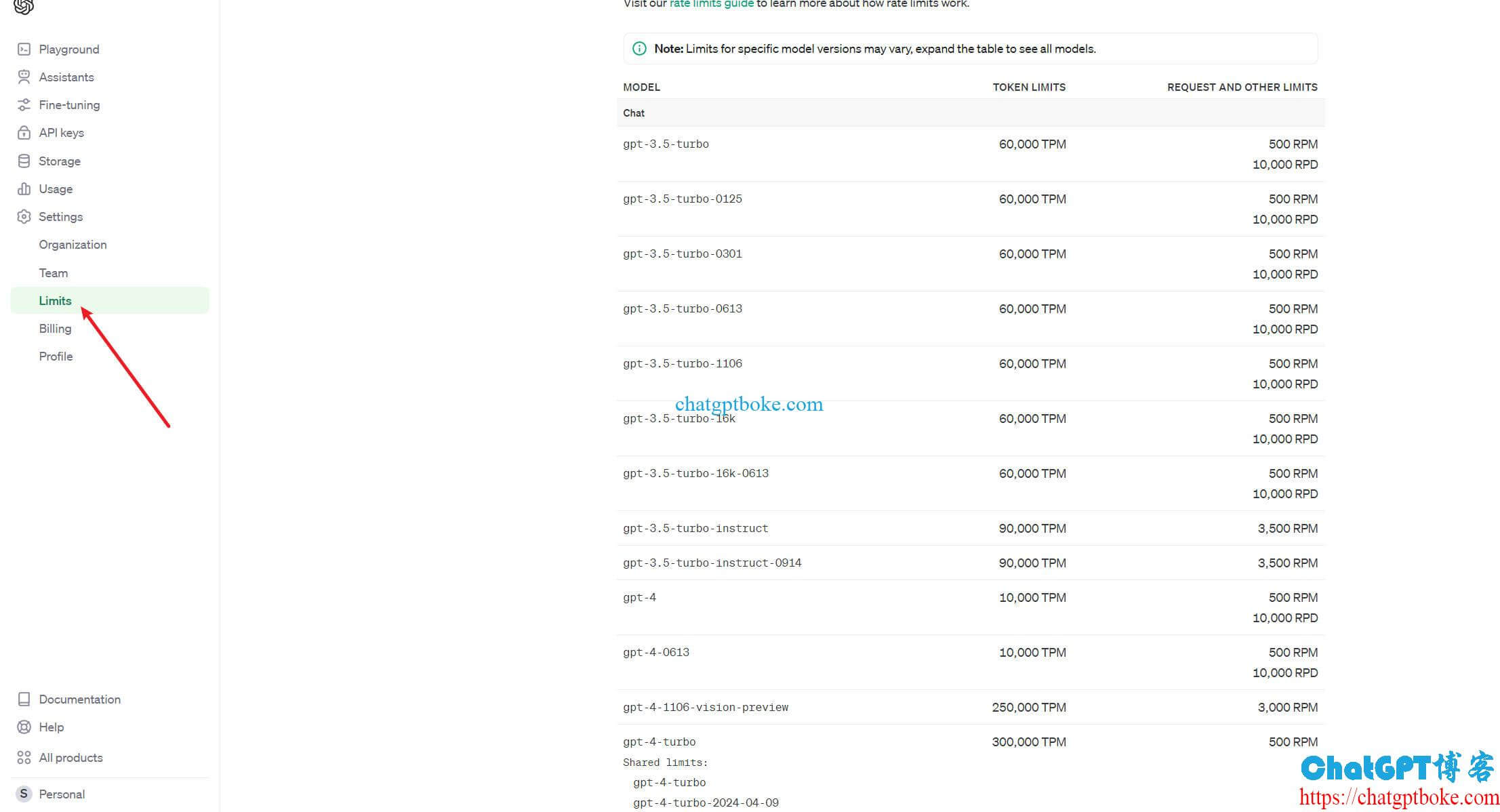
而如果你的账号可以使用GPT-4.0模型,即有GPT-4 API的使用权限,则可以看到GPT-4模型,如GPT-4,GPT-4-tuRbo等:
当然,就算你的OpenAI账号支持GPT-4.0模型,也必须有余额才能调用的(现在OpenAI是先付再用),否则就会报错insufficient_quota,详见:《调用OpenAI API提示insufficient_quota,You exceeded your current quota, please check your plan and billing details.》。
二、直接调用GPT-4模型
除了在LiMITs里查看外,我们也可以通过直接调用GPT-4模型的方法来判断账号支不支持GPT-4 API。首先申请一个API Key(申请教程:《OpenAI ChatGPT API是什么?OpenAI API keys申请教程》),然后通过代码或者程序调用GPT-4模型,如果不支持,则会报错模型不存在,详见:《OpenAI API报错invalid_request_error,提示The model `gpt-4` does not exist or you do not have access to it》。
以上就是ChatGPT中文网给大家分享的两种判断账号支不支持GPT-4 API的方法了。