
WordPress升级到最新版本后用不习惯或者出bug,怎么降级到旧版本呢?本文就给大家介绍一下WordPress安装老版本的方法。
使用WP Downgrade任意安装WordPress老版本教程
WP Downgrade是一款神器,可以帮你安装WordPress之前的老版本,下面来看看如何操作。
1、安装WP Downgrade | Specific Core Version
你可以从WP后台搜索安装,或者从下面的链接去下载后上传安装。
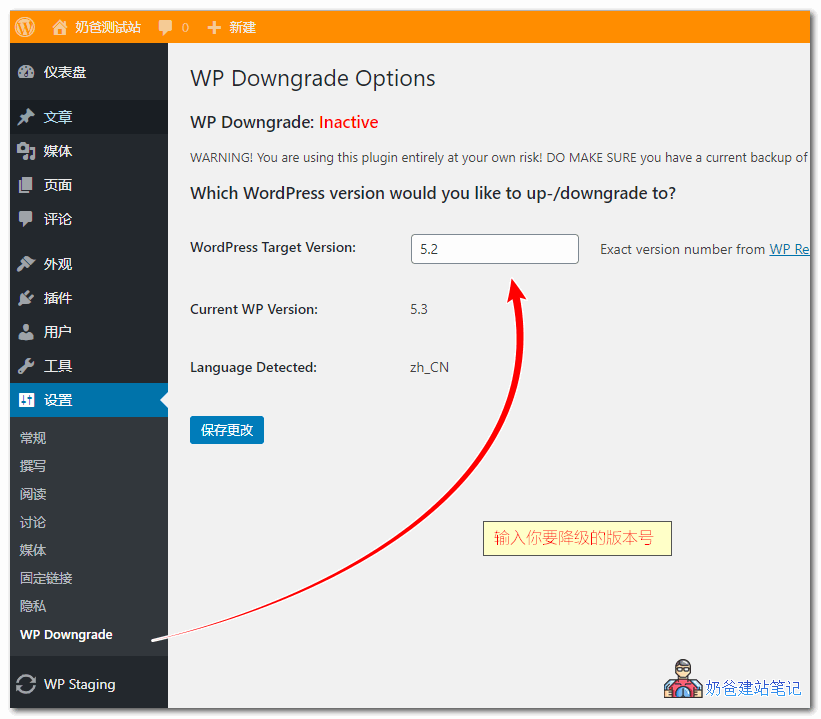
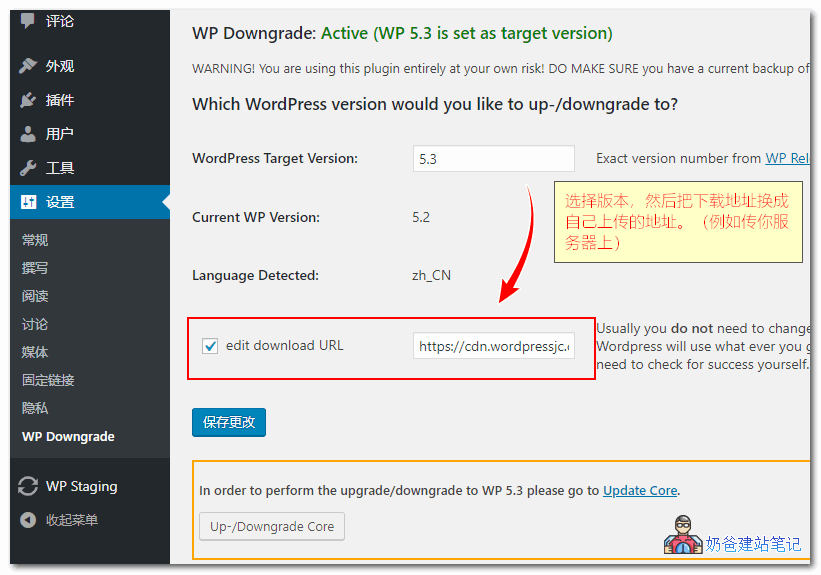
2、安装完毕插件后,进入设置里面的WP Downgrade,然后输入你要降级的版本,例如5.2。
提示:安全起见,建议操作前先备份网站数据。
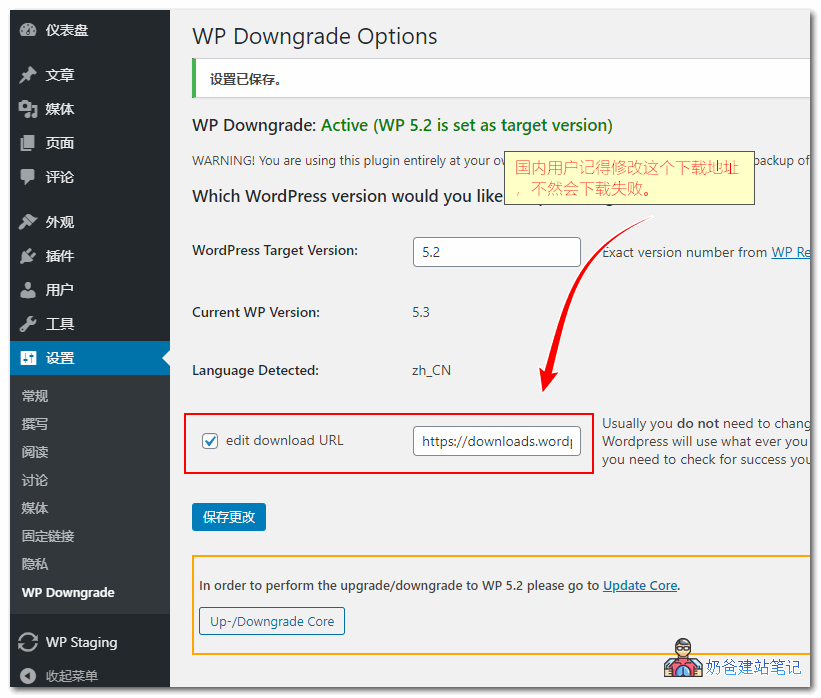
3、点击保存按钮后,会出现一个edit download URL的选项,国内用户勾选后输入一个国内服务器能顺利下载到的网址,例如你自己服务器。
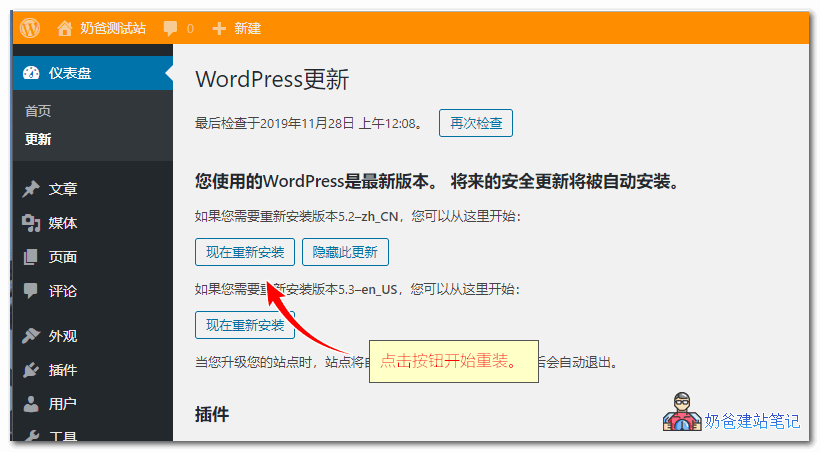
4、进入WordPress更新界面,点击现在重新安装按钮。
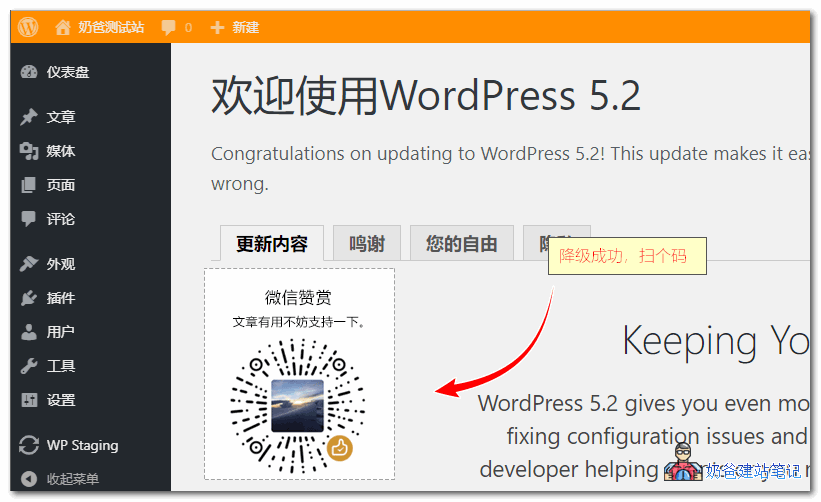
5、一切顺利的话,就降级老版本成功了。
骚操作 使用WP Downgrade安装最新版WordPress
没错,除了安装老版本,使用WP Downgrade你还可以安装最新的WordPress,解决国内服务器自动更新时提示WordpPress 429 Too Many Requests失败的问题。
从网上下载最新版本的WordPress安装文件,上传到你服务器,然后把网址改成服务器的。再去更新,就成功了。
About The Author
OpenMagic API
Need more than content? Move into the product flow.
If you are here for model access, pricing, developer docs, or the future API console, the dedicated product path now lives on api.openmagic.ai.