

ChatGPT / 互联网技术 · 2024年4月2日

调用OpenAI API时提示配额不足,请检查您的计划和账单详细信息。

调用OpenAI API提示insufficient_quota,You exceeded your current quota, please check your plan and billing details.

在第三方平台或者通过代码调用OpenAI API key时,提示insufficient_quota错误,具体的错误信息是You exceeded your current quota, please check your plan and billing details,今天ChatGPT中文网就分享下这个问题的原因和解决方法。
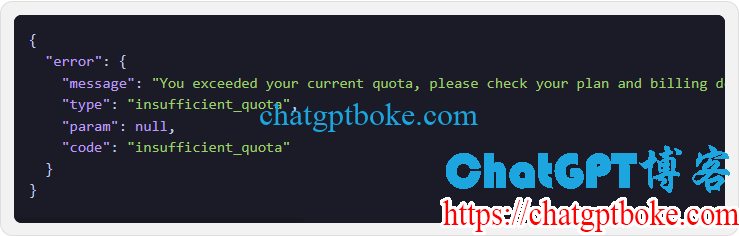
调用OpenAI API提示insufficient_quota,You exceeded your current quota, please check your plan and billing details.

这个问题的原因显而易见:就是你的OpenAI API额度不够了,调用API Key是需要花钱的,如果OpenAI platform没有余额了,自然是没法用的。

另外,如果你的OpenAI platform余额过期了,同样是这个insufficient_quota提示,Expired就是过期的OpenAI额度,用了2.45美元的额度,剩余的2.55美元额度全部过期了。

调用OpenAI API提示insufficient_quota,You exceeded your current quota, please check your plan and billing details.

OpenAI API免费额度的有效期为3个月,充值的API额度有效期为1年。

insufficient_quota怎么解决呢?如果你需要使用OpenAI API Key,那么可以选择直接购买新的API Key,或者充值现有账号。

  • 《OpenAI ChatGPT API Key购买:无需国外信用卡,支付宝付款即可》
  • 《OpenAI API代充值余额,解锁GPT-4.0 API,解除每分钟限制调用3次API的Limits》
OpenMagic API

Need more than content? Move into the product flow.

If you are here for model access, pricing, developer docs, or the future API console, the dedicated product path now lives on api.openmagic.ai.