
这篇文章主要介绍了Html5 webRTC简单实现视频调用的示例代码,文中通过示例代码介绍的非常详细,对大家的学习或者工作具有一定的参考学习价值,需要的朋友们下面随着小编来一起学习学习吧
最近在做一个直播功能,查阅了webRTC相关资料,下面是简单实现的栗子哟(基于vue.js)!
子组件
<template>
<video id=”rtc”></video>
</template>
<script>
export default {
name: “LiveDetails”,
data() {
return {};
},
mounted() {
let video = document.querySelector(“#rtc”);
// 参数表示需要同时获取到音频和视频
// 获取到优化后的媒体流
// { audio: true, video: true }
const constraints = {
audio: { echoCancellation: { exact: false } },
video: true
};
navigator.mediaDevices
.getUserMedia(constraints)
.then(stream => {
console.log(stream) //此处打印请看下方
video.srcObject = stream;
video.onloadedmetadata = e => {
video.play();
};
})
.catch(err => {
console.log(err);
});
}
};
</script>
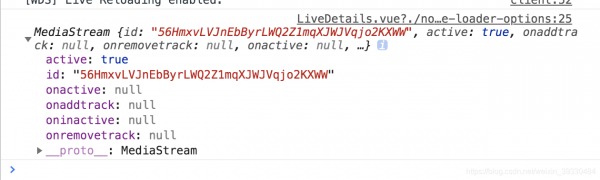
亲测有效,会有回声,后端可以进行处理
到此这篇关于Html5 webRTC简单实现视频调用的示例代码的文章就介绍到这了,更多相关Html5 webRTC视频调用内容请搜索脚本之家以前的文章或继续浏览下面的相关文章,希望大家以后多多支持脚本之家!
来源:脚本之家