
做一个局域网WebRTC视频聊天系统,需要用到HTTPS。因此,配置Node.js使其支持HTTPS访问。这篇文章主要介绍了Nodejs在局域网配置https访问的实现方法,需要的朋友可以参考下
零、需求:
做一个局域网WebRTC视频聊天系统,需要用到HTTPS。因此,配置Node.js使其支持HTTPS访问。
一、解决
在线生成和证书
访问:https://csr.chinassl.net/generator-csr.html
填写好之后点生成即可,我们可以下载到两个文件。
这里我的域名是192.168.110.10,得到192.168.110.10_csr.txt和192.168.110.10_key.txt这两个文件(妥善保存)。
然后再访问:https://csr.chinassl.net/free-ssl.html
把192.168.110.10_csr.txt文件里的内容粘贴到代码框里,点获取免费证书之后可以下载到一个192.168.110.10_ssl.crt文件。
配置Node.js
参考Node.js配置源,确保已经配置好cnpm了。
安装express模块:
cnpm install express –save
安装express模块的相关依赖:
cnpm install body-parser –save
cnpm install cookie-parser –save
cnpm install multer –save
安装完成后可以查看express的版本号:
cnpm list express
使用HTTPS
把192.168.110.10_key.txt和192.168.110.10_ssl.crt(名字可能不同,但是格式是这样的)复制到你服务器程序同级目录下,比如我的目录就这三个文件:
192.168.110.10_key.txt
192.168.110.10_ssl.crt
app.js
app.js
//导入模块
const fs = require(fs)// 文件输入输出,用来导入证书
const https = require(https)// https服务器
const express = require(express)// express模块导入
//读取证书
const privateKey = fs.readFileSync(192.168.110.10_key.txt, utf8)
const certificate = fs.readFileSync(192.168.110.10_ssl.crt, utf8)
// 创建 express 应用
const app = express()
// 监听 / 路径的 get 请求
app.get(/, function(req, res) {
res.send(Hello Word!)
})
const credentials = { key: privateKey, cert: certificate }
const httpsServer = https.createServer(credentials, app)
const SSLPORT = 443
httpsServer.listen(SSLPORT, function() {console.log(HTTPS Server is running on: https://localhost:%s, SSLPORT)})
使用Node.js运行app.js
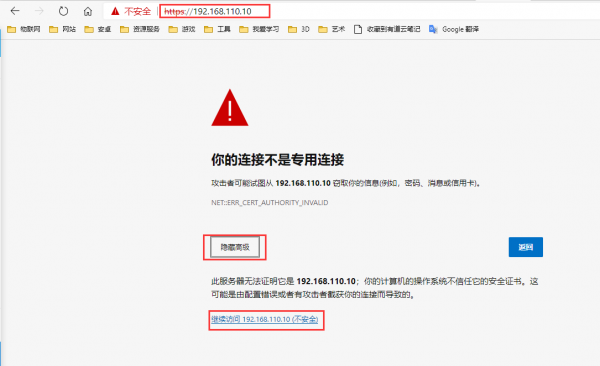
设置信任这个证书就可以了~
成功配置Node.js使用HTTPS在局域网内访问!
二、总结